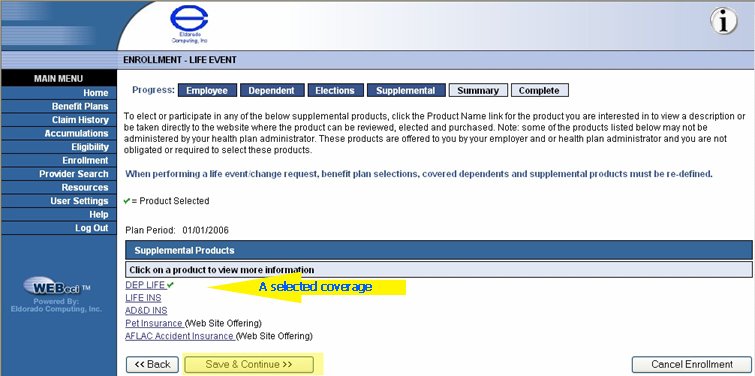
Once a supplemental insurance product is selected and you use the Save and Continue button, the Supplemental Insurance Options screen reappears. Note the green check mark beside the selected supplemental coverage(s).
The next screen is also the last screen in the series of screens used to generate an enrollment.