

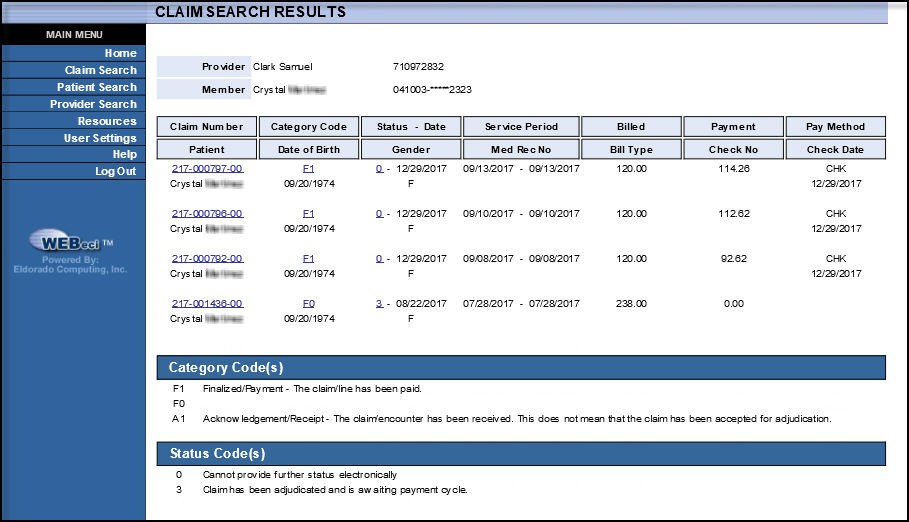
The Claims Search Results screen displays a list of claims that meet your claims search criteria. The screen will display up to 25 results per screen. If there are additional results, select the  button on the bottom left portion of the screen to show the next 25 results.
From the Claims Search Results screen you can:
select the desired claim number to view the Claim Information screen, showing detailed claims information.