

This screen lists all of the individual claims for employees and their dependents. Claims are listed in date order, beginning with the most recently submitted.
Immediately below is a sample Claim History screen. For information about the purpose and meaning of any of the displayed columns, left-click the desired column below. A pop-up explanation will appear.
TIP: To exit the pop-up display, simply left-click outside of the graphic displays.
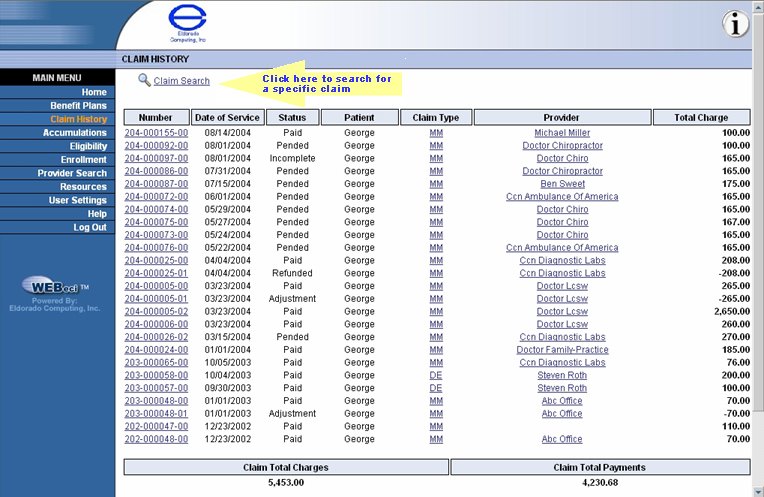
Use the scroll bars at the bottom and the right of this screen to view those parts of it that you can't see now. The bottom of the screen displays the grand total, in dollars, of all listed claim charges and claim payments.
You will also see a MORE button at the bottom of the screen. When it appears in your own Claim History screen, left-clicking it will allow you to see earlier claims made by you or your dependents. Remember that claims are listed in date order (based on the date of service), beginning with the most recent and moving back in time.
Another way to find a claim is conduct a claim search using the CLAIM SEARCH link shown at the top of the screen. (If you left-click the example, below, a Claim Search screen pop-up display will appear just as it will when you're looking at an actual Claim History screen.)
From the Claims History screen you can:
click on the Claim Search link to perform a claim search
select the desired claim number to view the Claim Information screen, showing detailed claims information
select a provider name to view Provider Information